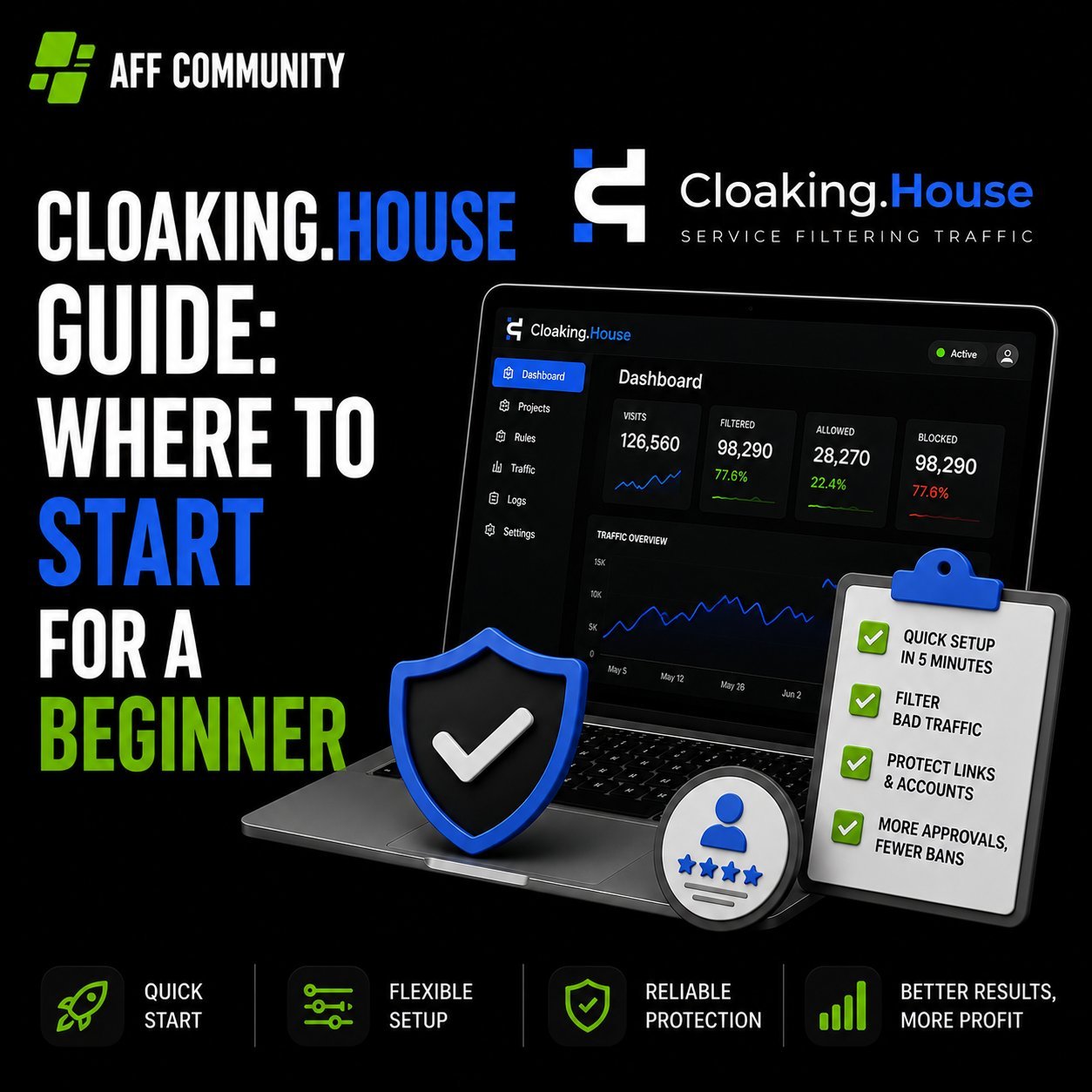
Cloaking.House Guide: Where to Start for a Beginner

When you first get into cloaking, the most common roadblock isn’t “what is this even,” but “which button do I start with.” Instructions in the spirit of “registered – configured – launched” usually don’t exist, and you have to figure it out by trial and error, losing the first days (and sometimes the first banned accounts) on experiments.

Let’s break down the entire journey using Cloaking.House as an example: what this service is, what you’ll need to launch, how to generate a White Page, create a flow, integrate it onto your hosting, and get your first filtered click.
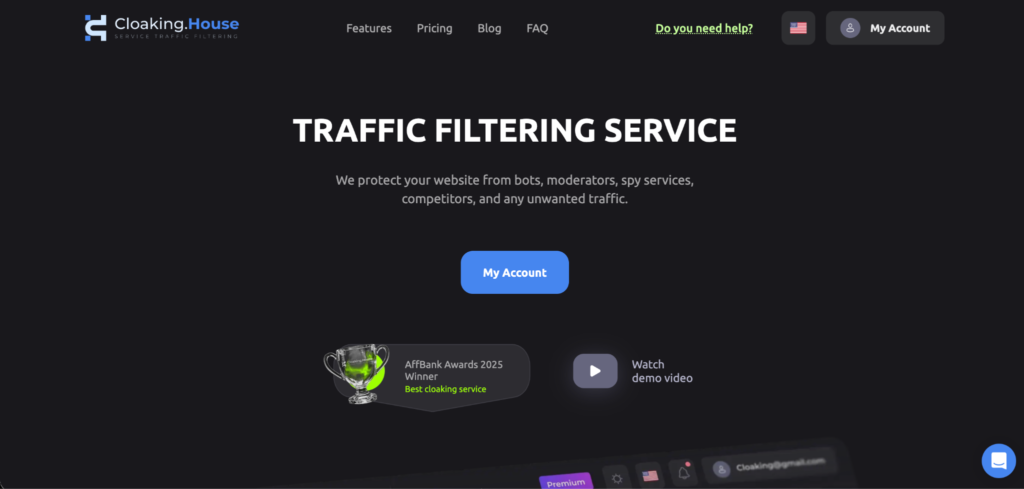
What is Cloaking.House and What is it For

Cloaking.House – is a service that splits incoming traffic into two streams using the same link:

  • a real user from the target geo lands on the Offer Page – a page with the real offer;
  • a moderator, bot, scam detector, or competitor sees the White Page – a safe page that easily passes moderation.

The service decides which page to show based on a combination of parameters: IP and its reputation, VPN/Proxy/datacenter, ISP, geo, language, time zone, device, OS, browser, referrer.

It is suitable for those who run “grey” verticals through Facebook, Google, TikTok, and other platforms with strict moderation – gambling, betting, nutra, dating, crypto. Cloaking is also used for white verticals – as protection against bots and spy services.

What You’ll Need to Launch

Before opening your personal account, it’s worth preparing a set of four things:

  • Domain. Your own (preferably with history) or one bought/parked directly in the service.
  • Hosting with PHP support, if you plan to integrate via your own domain rather than through the service’s ready-made link.
  • White Page – the “white” version of the site that the moderator will see.
  • Offer Page – the link to the offer itself: either an external affiliate link or a file on the same hosting.

Step 1. Assembling the White Page

A White Page is not a formality for show, but a working page that must look plausible and actually open. There are basic requirements for it:

  • the page should be thematically close to what is being advertised (in terms of headers and content);
  • load quickly and display correctly on mobile – this is the first thing platform algorithms check;
  • have standard sections at the bottom of the site – Privacy Policy, Terms, contacts;
  • be unique: a site copied from someone else that has already appeared in ads or indices is a bad idea; platforms recognize such copies.

Assembling such a page from scratch by hand takes time. Therefore, Cloaking.House has a built-in AI White Page Generator: you specify the project name, vertical (e.g., Nutra, Gambling, Technology), site format (one-pager, option for apps, or multi-page option for ad campaigns), visual theme, and language for the required geo. In advanced settings, you can immediately enter the domain, company name, phone, email, and keywords on the topic – the generator will place them in headers and the footer itself to make the page look “alive.”
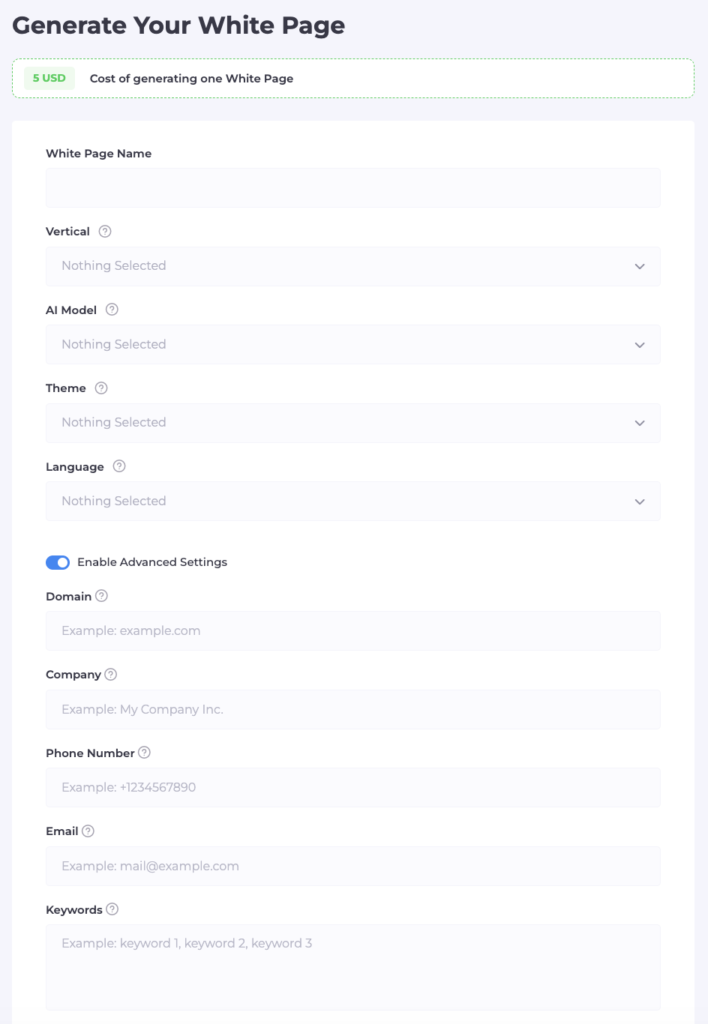
After generation, the service provides a ready archive with the page files.

Step 2. Uploading the White Page to Hosting

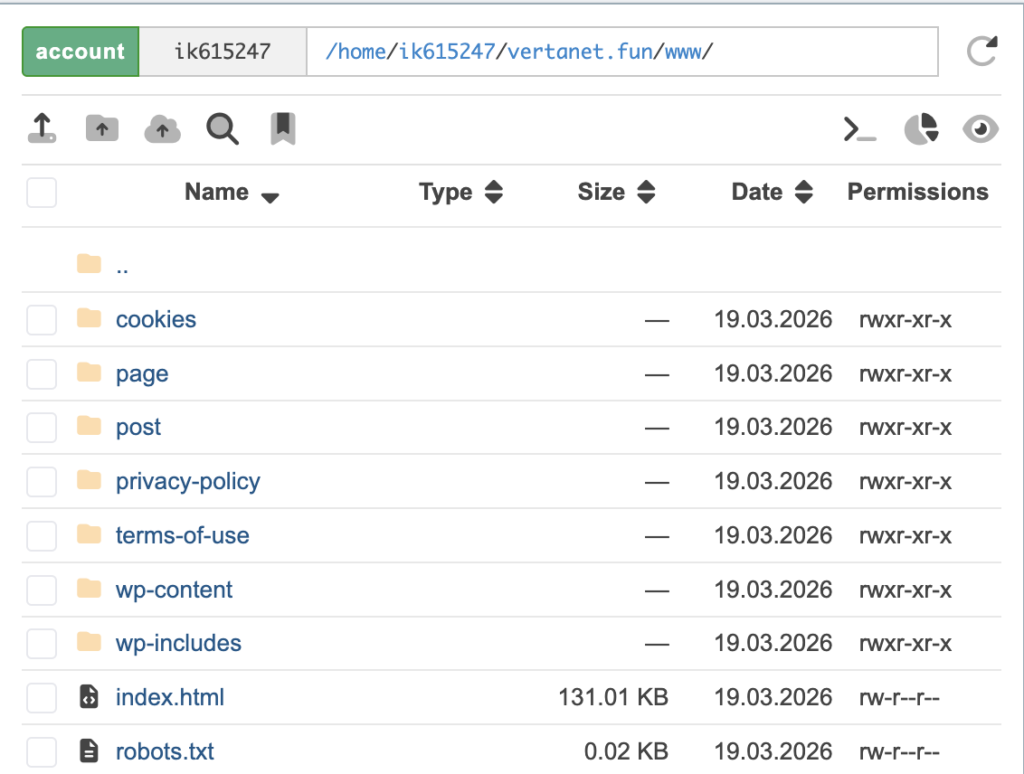
If you work through your own domain and hosting, the archive needs to be uploaded to the hosting:

  1. Log in to the hosting control panel and open the file manager.
  2. Go to the root folder of the domain (usually public_html).
  3. Upload the archive with the White Page there and extract it.
  4. Delete the archive itself so it doesn’t take up space – the site files are already deployed in the folder.

Next, the main domain is formally ready and opens as a regular “white” site.
Step 3. Creating a Flow

A flow is a connection of “filtering rules → White Page → Offer Page,” the main working unit of the service. It’s created in three steps.

Name and paths. Set a name for the flow (better with the offer and geo in the title right away to avoid confusion when scaling), then specify:

  • White Page – the file name with the extension (e.g., site.html or site.php) and the display method. The method where the address in the browser doesn’t change is the most discreet option for moderation.
  • Offer Page – the path to the real offer. If the offer is an external affiliate link, redirect is chosen; if the file is on the same hosting – the same display method without changing the address.

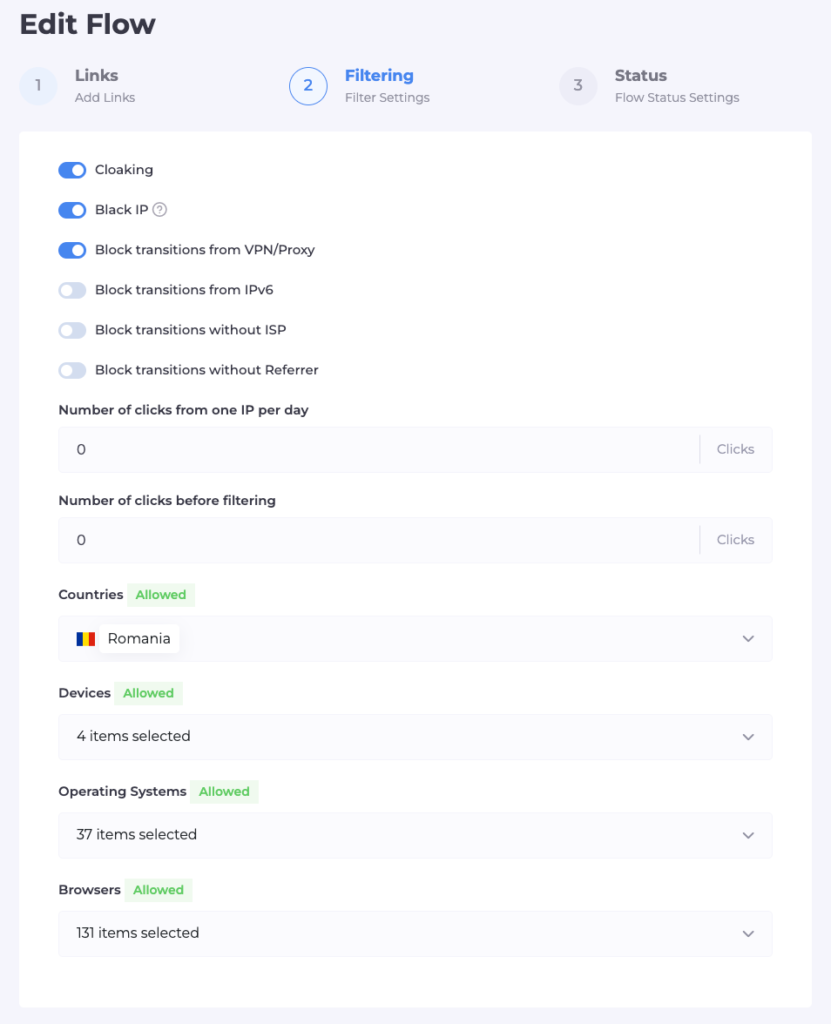
Filters. This is where the traffic splitting logic is configured:

  • database of known moderators and bots (Cloaking and Black IP) – usually enabled by default;
  • blocking VPN/Proxy/datacenters – cuts off connections that are not from regular providers;
  • IPv6 filter – it’s important not to overdo it: part of the checks of ad platforms and search bots go through IPv6, and if you block the protocol entirely, even a necessary check won’t be able to get through, which will more likely harm passing moderation;
  • blocking visits without a specific ISP – this filters out entries from servers and datacenters;
  • geo, language, time zone – traffic not from the target region or with a non-matching language goes to the White Page;
  • devices, OS, browsers – you can leave only the necessary types (e.g., only mobile Android);
  • your own blacklists of IPs, if any have already been accumulated.
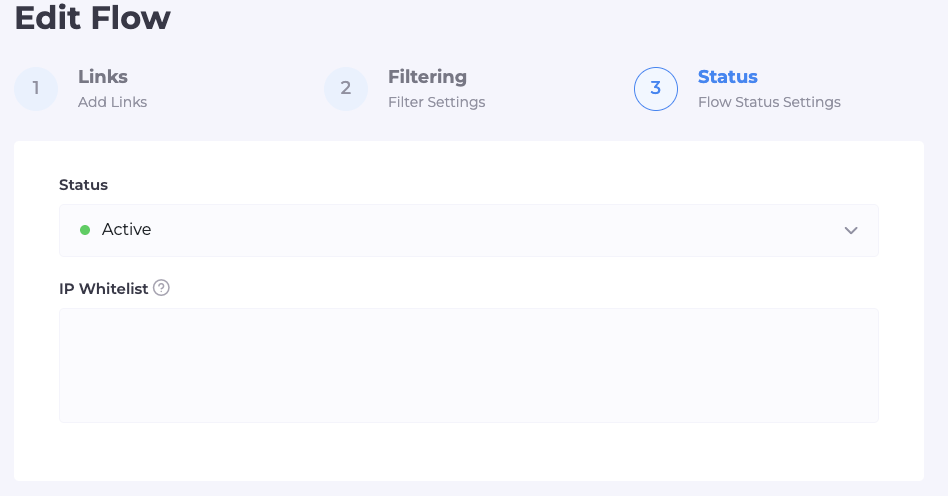
Status and check. The flow can be left on pause – then everyone will see it, including you – or switched to active mode. In a separate White List field, you specify your own IP: this allows you to bypass all filters and see exactly the Offer Page, while the White Page works for everyone else.

Step 4. Integration on Hosting

Once the White Page is in place and the flow is configured, all that remains is to link them technically:

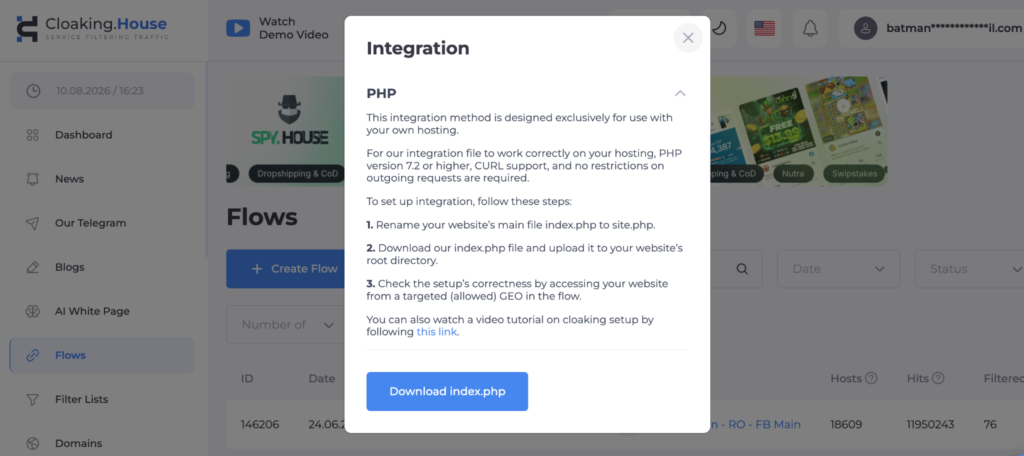
  1. In the “Flows” tab, download the integration file (index.php).
  2. Upload it via the hosting file manager to the root folder of the domain – to the same place where the White Page was previously extracted.
  3. Rename the current main site file (usually index.html) to the name specified in the White Page field when creating the flow – for example, to site.html.
  4. After renaming, it is index.php that becomes the entry point: it will decide whether to show the White Page or the Offer Page.
  5. Switch the flow status from “Pause” to “Active” and check through your IP from the White List that the Offer Page actually opens for you, and the White Page for everyone else.

If you work through a domain bought or parked directly in the service rather than your own hosting, this step isn’t needed at all – instead of file integration, the service immediately provides a ready “Cloaked link” that can be inserted into the ad cabinet without any fuss with files.
Step 5. First Click and What’s Next

From the moment of activation, every transition via your link automatically passes through filters. It’s convenient to track the result in the click statistics tab inside your personal account:

  • clicks with Cloaking status – these are bots, moderators, or traffic that didn’t pass the filters (if there are many from one city or network, it’s likely a check from the platform, and that’s normal, meaning the protection is working);
  • clicks with Client status – real users whom the flow allowed through to the Offer Page.

If this statistic shows that the target audience is also landing on the White Page, it’s worth looking into the reason for the filter triggering for a specific click – perhaps some rule (e.g., by IPv6 or ISP) is configured too strictly for your geo and should be relaxed.

Launch Checklist

  • Prepared domain and hosting (or chose a domain inside the service)
  • Generated or uploaded a White Page
  • Uploaded the White Page to hosting and extracted the archive
  • Created a flow: specified White Page, Offer Page, and their display method
  • Configured filters – VPN/Proxy, IPv6, ISP, geo, devices, language
  • Added your IP to the White List and checked that the Offer Page opens
  • Uploaded the integration file and renamed the original site file
  • Switched the flow to Active status
  • Checked click statistics after the first transitions

Who is it for and How Much Does it Cost

The service is designed for both a beginner launching their first flow and teams needing an API to manage domains and flows from their projects. Plans start from $49 per month (cheaper with annual payment), and there is 7 days of free access without limits – this is usually enough to run a real campaign through a flow and understand if the connection fits your traffic before paying. Also, specifically for readers, a promo code that gives a 30% discount: AFFCOMMUNITY

Summary

Broken down by steps, cloaking stops being black magic: White Page → upload to hosting → flow with filters → integration → check via White List → first click. The main fork that determines how much time launch will take is a warmed-up domain with file integration or a ready-made domain and link inside the service without hosting hassle. For the first flow, it’s easier and faster to go the second way, and return to your own hosting and finer filter settings already with an understanding of how each setting reacts to your traffic.
Cloaking in 2026: How It Works in Practice

In short, cloaking hasn’t gone anywhere. It’s just gotten smarter.

In the past, things were pretty basic: one landing page for moderators, another for users. Almost no one works that way anymore. Platforms have learned to dig deeper, and any crude schemes get banned quickly.

In 2026, cloaking is no longer just a website substitution but a full-fledged traffic filtering system.

How cloaking works today

The core principle remains the same: splitting traffic streams. One stream is for moderators and bots; the other is for real users.

But the level of analysis has changed. The system doesn’t just look at the IP address like it used to. Now it takes into account:

  • behavior;
  • time on page;
  • referral source;
  • device fingerprint.

And if something deviates from the norm, the user might end up somewhere other than where you intended.

By the way, the logic behind traffic processing and exactly how traffic streams are distributed is explained in detail here.

Why old tactics no longer work

The main reason is stricter moderation. Platforms have become more aggressive:

  1. they visit landing pages more often;
  2. they check the redirect chain;
  3. they analyze post-click behavior.

This is especially noticeable on TikTok and Meta. There, they might approve an ad at first, but then suspend the account after the campaign runs.

That’s exactly why in 2026 it’s important not just to hide the page, but to make the setup look as natural as possible. Mistakes in the approach and reasons for bans are discussed in detail HERE.

What’s being used now

Classic cloaking is almost obsolete. Instead, a suite of tools is used:

  1. Anti-detection browsers.
  2. Proxies.
  3. Behavioral filtering.
  4. Traffic analysis services.

This is no longer a single tool, but an ecosystem. For example, while a simple proxy used to suffice, it is now crucial that the following match:

  • geo;
  • device;
  • behavior.

Otherwise, the system quickly realizes that something is wrong.

Where mistakes are most commonly made

The first mistake is overcomplicating things. People try to build a perfect system, add a bunch of filters, and end up breaking the traffic themselves.

The second is poor traffic quality. If the source is trash to begin with, no cloaking will save it. It can hide the problem, but it won’t solve it.

The third is a lack of testing. Cloaking isn’t a “set it and forget it” solution. It needs to be checked constantly. Because algorithms change.

The Reality of 2026

Cloaking has become more expensive, more complex, and more demanding.

It still works, but:

it requires experience; it requires proper infrastructure; it requires an understanding of how traffic works.

Also, the main tool used in conjunction with cloaking is the White Page. Thanks to the White Page, you can easily pass moderation and avoid getting banned. One of the top services on the market right now is Money Safe. You can read a detailed review at the link.

Conclusion

In 2026, cloaking isn’t about bypassing the system, but about adapting to it.

If you do it carelessly, the account will die quickly. If you do it carefully, you can keep it running for a long time.

But the key remains the same: it’s not cloaking that makes money, but the strategy as a whole.

Cloaking.House – a trusted traffic filtering service designed to safeguard your campaigns.

Every affiliate marketer grapples with the challenge of bypassing moderation and achieving maximum profitability while maintaining convenience. Traffic cloaking remains a highly relevant solution, especially as ad networks implement increasingly stringent policies each year. This pushes webmasters to adapt their strategies and seek effective tools for protecting campaigns.

Cloaking is the technology at the forefront of this effort, enabling traffic filtration to hide campaigns from moderators, bots, and spy services. With proper cloaking, affiliates can maintain campaign stability, avoid account bans, and achieve higher conversion rates while focusing on their goals. But for those who use Cloaking.House, these issues are no longer a concern!


Ready for new possibilities with API integration and updated pricing?

You asked, and they delivered! API features are now available!

Cloaking.House combines advanced technologies, artificial intelligence, and powerful API integration to maximize the efficiency of your marketing campaigns. These tools offer robust protection, unparalleled flexibility, and automation across all stages of traffic interaction.

API Integration: Unlock Automation

With API integration, users of Cloaking.House gain centralized control over processes, custom filtering, and performance analytics. This functionality simplifies data management, allowing real-time adaptability and seamless integration into ongoing projects.


How It Works

Cloaking.House provides a dependable traffic filtering service, ensuring campaign stability and optimal results. By leveraging modern technology and an intuitive interface, you can quickly segment your audience and monitor campaign performance in real-time.

Key Features:

  • User-Friendly Interface: Streamline campaign setup in just a few steps, defining display parameters for specific user groups.
  • Personalized Moderation Rules: Protect campaigns by avoiding unnecessary moderation checks.
    • Example: Redirect certain users to a “white page” while others see your offer page.
  • Performance Analysis: Identify and resolve issues quickly with data-driven insights.
    • Example: Automatically blacklist IPs involved in suspicious activity.

Cloaking ensures personalized traffic handling, shields against external threats, and streamlines processes. With flexible settings, you can optimize content, choose domains for specific traffic sources, and leverage advanced segmentation tools.


Advanced Filtering Options

  1. VPN/Proxy Filtering: Redirects such visitors to a “white page.”
  2. IPv6 Filtering: Blocks bot traffic using IPv6.
  3. ISP Detection: Filters traffic from users without an identifiable internet provider.
  4. Referrer Filtering: Hides offer pages from visitors with direct entry points.
  5. Click Limits: Controls the number of clicks per IP or activates filters after a set threshold.
  6. Language Filter: Targets users by browser language for precise audience segmentation.
  7. Black & White Lists: Manage traffic based on pre-defined criteria like IP, User-Agent, or ISP.

Service Tiers and Pricing

Cloaking.House offers affordable plans for all needs, including startups and large-scale operations, with a 7-day free trialavailable for testing.

Plan Options:

  1. Starter: $30/month or $240/year
    • Unlimited clicks, real-time stats, and essential tools for startups.
  2. Basic: $100/month or $600/year
    • Advanced filtering for devices, OS, browsers, and referrers.
  3. Premium: $200/month or $1200/year
    • Enhanced ISP filtering and priority support.
  4. Corporate: $499/month or $2988/year
    • Ideal for teams, offering API access for up to 300,000 daily requests.

Seamless Integration

  1. PHP Integration: Embed cloaking directly into your site.
  2. Link-Based Integration: Use pre-generated links for effortless campaign setup, even without a dedicated “white page.”

Payment Methods:

  • Cryptocurrency: Tether, Ethereum, Litecoin, Bitcoin
  • Capitalist
  • Visa/Mastercard
  • Pay2.House

Key Benefits:

  • Highly customizable settings for diverse traffic sources.
  • Advanced segmentation tools like the new Language Filter.
  • Reliable API functionality for automated workflows and enhanced control.

Cloaking.House processes 2.5 million clicks daily and up to 10 billion clicks monthly, constantly evolving its AI to deliver exceptional traffic protection.


Start safeguarding your campaigns with Cloaking.House today and unlock unparalleled results!

Cloaking in affiliate marketing

Many webmasters use ads banned on the platform in their own sources. They may advertise adult services, online casinos and other such resources. The webmaster may be subject to strict measures for advertising such sites. His advertising campaign may simply not be missed. It is also possible to impose a ban on the personal account after the launch of the campaign. To avoid the above-mentioned troubles and problems, you can use cloaking, which is popularly called cloaca. What is cloaking, how can it be used to bypass moderation, what online cloaking services can be used?

What is cloaking?

What is cloaking

Cloaking is a technology that allows you to hide or substitute content. Using this technology makes it possible to show different content to different users clicking on a link.

With the help of this technology, spoof the landing page for the following categories of visitors:

  • employees of advertising platforms that perform manual moderation;
  • search engine bots and algorithms that check content;
  • advertisers when attracting traffic from banned resources;
  • Spy-services for maintaining anonymity on the Internet;
  • competitor webmasters for their own bundles and creatives from plagiarism.

Using cloaking allows you to show other webmasters, bots and moderators the White Page. Unlike the landing page where the offer is located, this page is made in full compliance with the rules established on the advertising platform where the traffic is purchased. We advise the service Money Safe. Guys will create a White Page under your requirements, which will be easily moderated.

Most often, webmasters cloaca to bypass the moderation of online platforms such as Facebook and Google. All advertising networks prohibit the use of such actions, so the detection of content spoofing leads to blocking. At some point, everyone pouring through the cloaca becomes known to moderators, who detect it manually or with the help of special algorithms.

Features of using cloaking

features of using cloaking

With the use of this technology, all users are divided into different streams, so they get to different pages by one link:

  • those visitors who do not need to see the promoted content end up on a white page that fully complies with the rules set by the advertising network;
  • users who need to be shown the content end up on the landing page.

There are special services that help to pour through the cloaca, greatly simplifying the setting of filtering and the process of passing moderation, for example, HideClick with a three-day free version and three paid rates. Also, popular are IM klo ,  Cloaking.House and many others.

The following services and programs help to cloak:

  • trackers and TDS (to track conversions and distribute traffic according to parameters);
  • JS-scripts (a special code is installed on the landing page, changing the content of the page automatically for a particular visitor);
  • redirect, which means redirecting a visitor from one site to another.

Is it necessary to pour with cloaca?

For affiliate marketing, webmasters often have to promote offers with the help of forbidden techniques. All webmasters need to know cloaking to be able to hide pages from some users. It is not difficult to use this technique, you need to know the basics of programming and network security.