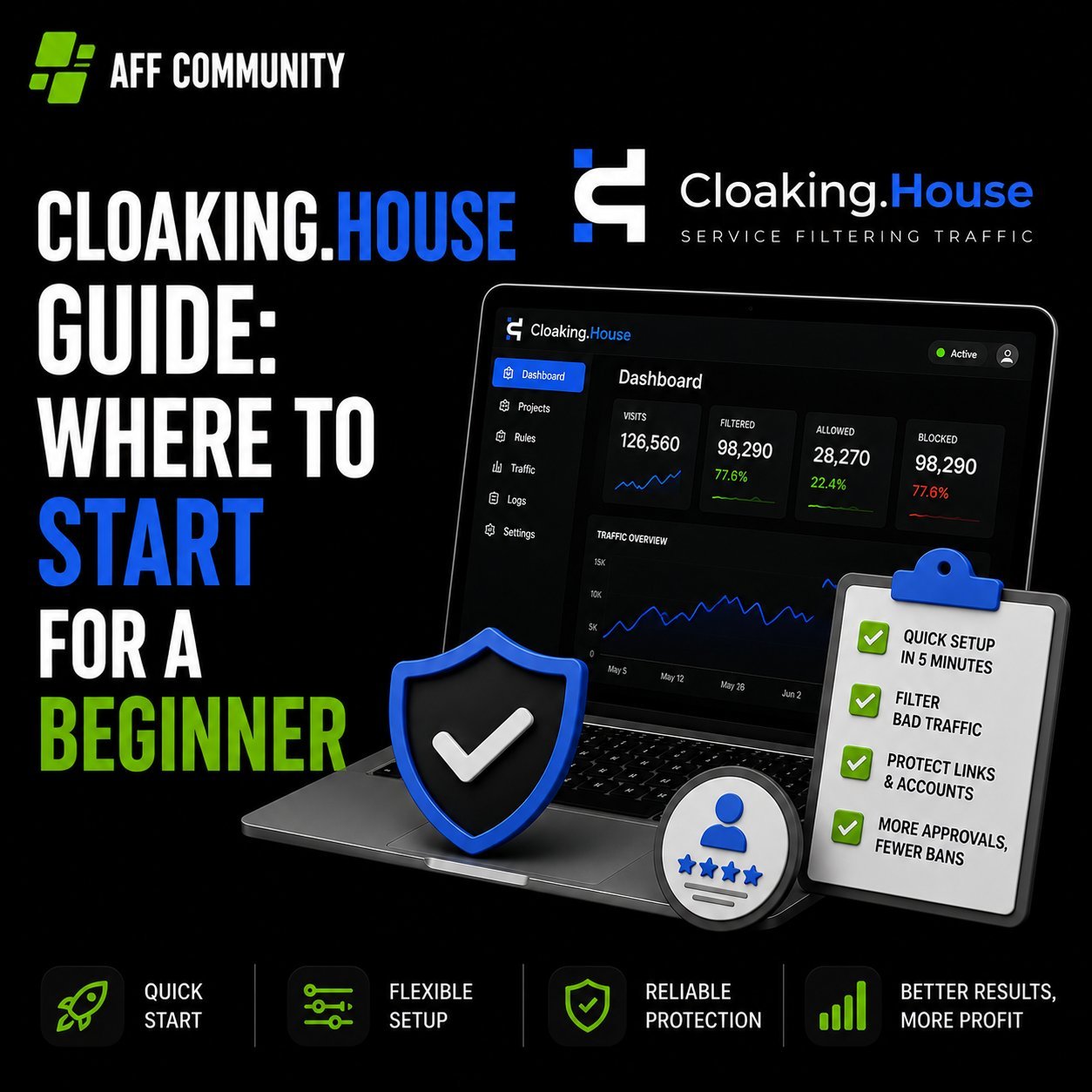
Cloaking.House Guide: Where to Start for a Beginner

When you first get into cloaking, the most common roadblock isn’t “what is this even,” but “which button do I start with.” Instructions in the spirit of “registered – configured – launched” usually don’t exist, and you have to figure it out by trial and error, losing the first days (and sometimes the first banned accounts) on experiments.

Let’s break down the entire journey using Cloaking.House as an example: what this service is, what you’ll need to launch, how to generate a White Page, create a flow, integrate it onto your hosting, and get your first filtered click.
What is Cloaking.House and What is it For

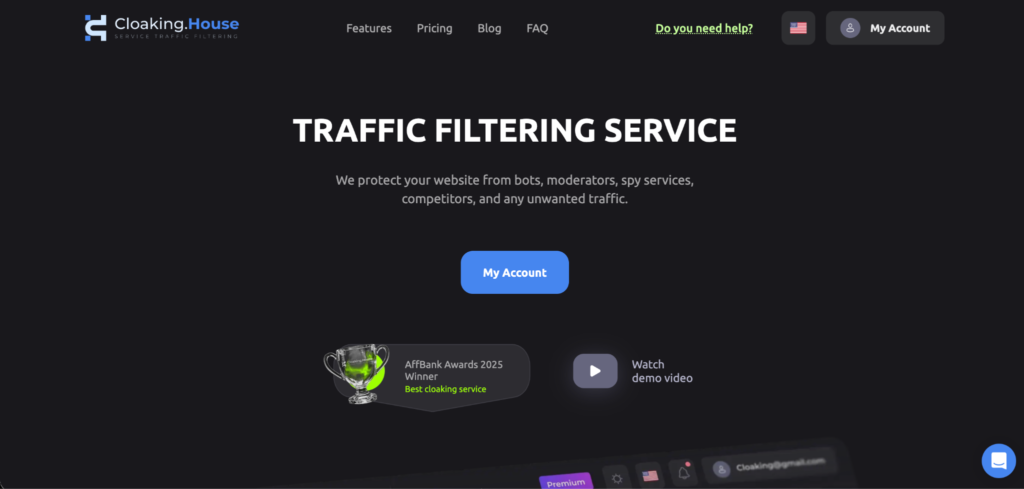
Cloaking.House – is a service that splits incoming traffic into two streams using the same link:

  • a real user from the target geo lands on the Offer Page – a page with the real offer;
  • a moderator, bot, scam detector, or competitor sees the White Page – a safe page that easily passes moderation.

The service decides which page to show based on a combination of parameters: IP and its reputation, VPN/Proxy/datacenter, ISP, geo, language, time zone, device, OS, browser, referrer.

It is suitable for those who run “grey” verticals through Facebook, Google, TikTok, and other platforms with strict moderation – gambling, betting, nutra, dating, crypto. Cloaking is also used for white verticals – as protection against bots and spy services.

What You’ll Need to Launch

Before opening your personal account, it’s worth preparing a set of four things:

  • Domain. Your own (preferably with history) or one bought/parked directly in the service.
  • Hosting with PHP support, if you plan to integrate via your own domain rather than through the service’s ready-made link.
  • White Page – the “white” version of the site that the moderator will see.
  • Offer Page – the link to the offer itself: either an external affiliate link or a file on the same hosting.

Step 1. Assembling the White Page

A White Page is not a formality for show, but a working page that must look plausible and actually open. There are basic requirements for it:

  • the page should be thematically close to what is being advertised (in terms of headers and content);
  • load quickly and display correctly on mobile – this is the first thing platform algorithms check;
  • have standard sections at the bottom of the site – Privacy Policy, Terms, contacts;
  • be unique: a site copied from someone else that has already appeared in ads or indices is a bad idea; platforms recognize such copies.

Assembling such a page from scratch by hand takes time. Therefore, Cloaking.House has a built-in AI White Page Generator: you specify the project name, vertical (e.g., Nutra, Gambling, Technology), site format (one-pager, option for apps, or multi-page option for ad campaigns), visual theme, and language for the required geo. In advanced settings, you can immediately enter the domain, company name, phone, email, and keywords on the topic – the generator will place them in headers and the footer itself to make the page look “alive.”
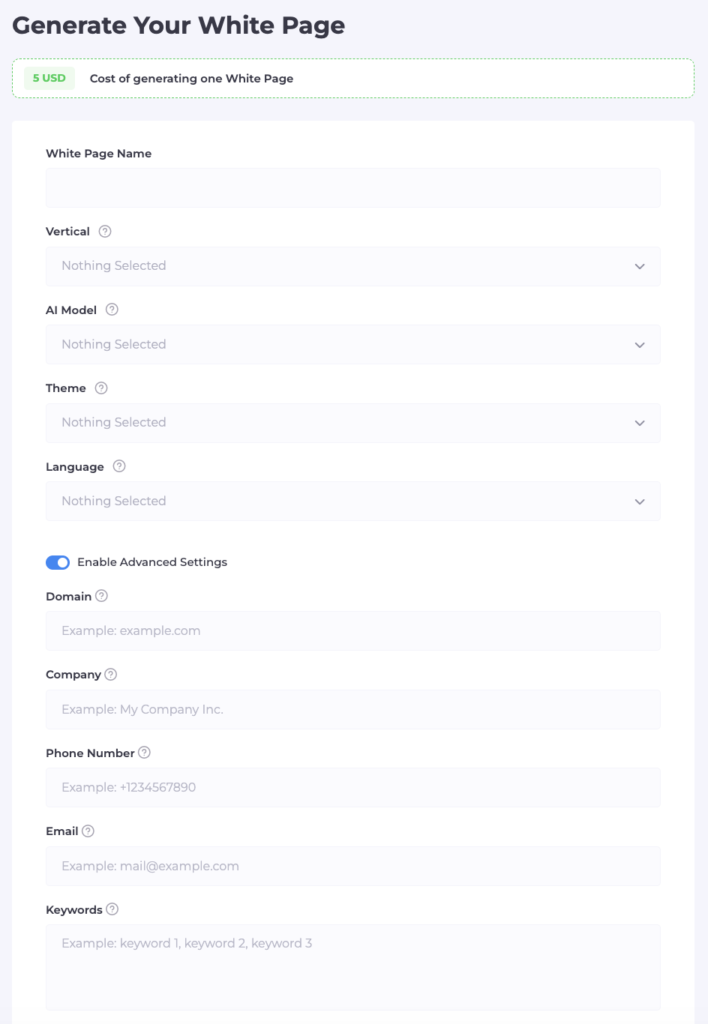
After generation, the service provides a ready archive with the page files.

Step 2. Uploading the White Page to Hosting

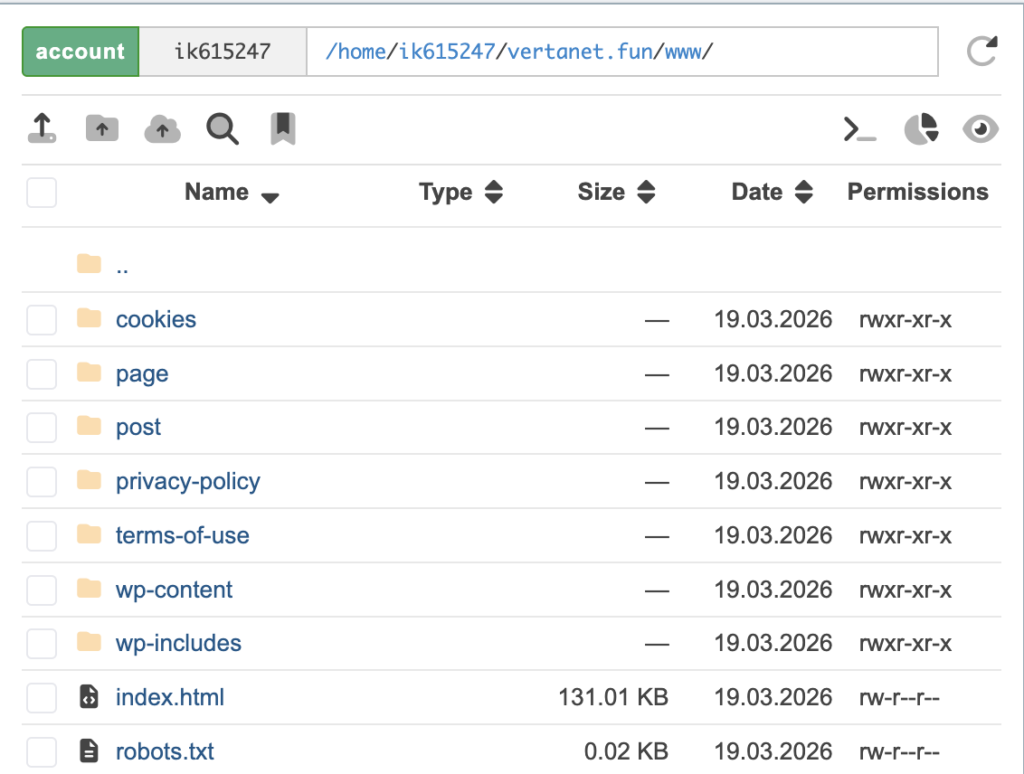
If you work through your own domain and hosting, the archive needs to be uploaded to the hosting:

  1. Log in to the hosting control panel and open the file manager.
  2. Go to the root folder of the domain (usually public_html).
  3. Upload the archive with the White Page there and extract it.
  4. Delete the archive itself so it doesn’t take up space – the site files are already deployed in the folder.

Next, the main domain is formally ready and opens as a regular “white” site.
Step 3. Creating a Flow

A flow is a connection of “filtering rules → White Page → Offer Page,” the main working unit of the service. It’s created in three steps.

Name and paths. Set a name for the flow (better with the offer and geo in the title right away to avoid confusion when scaling), then specify:

  • White Page – the file name with the extension (e.g., site.html or site.php) and the display method. The method where the address in the browser doesn’t change is the most discreet option for moderation.
  • Offer Page – the path to the real offer. If the offer is an external affiliate link, redirect is chosen; if the file is on the same hosting – the same display method without changing the address.

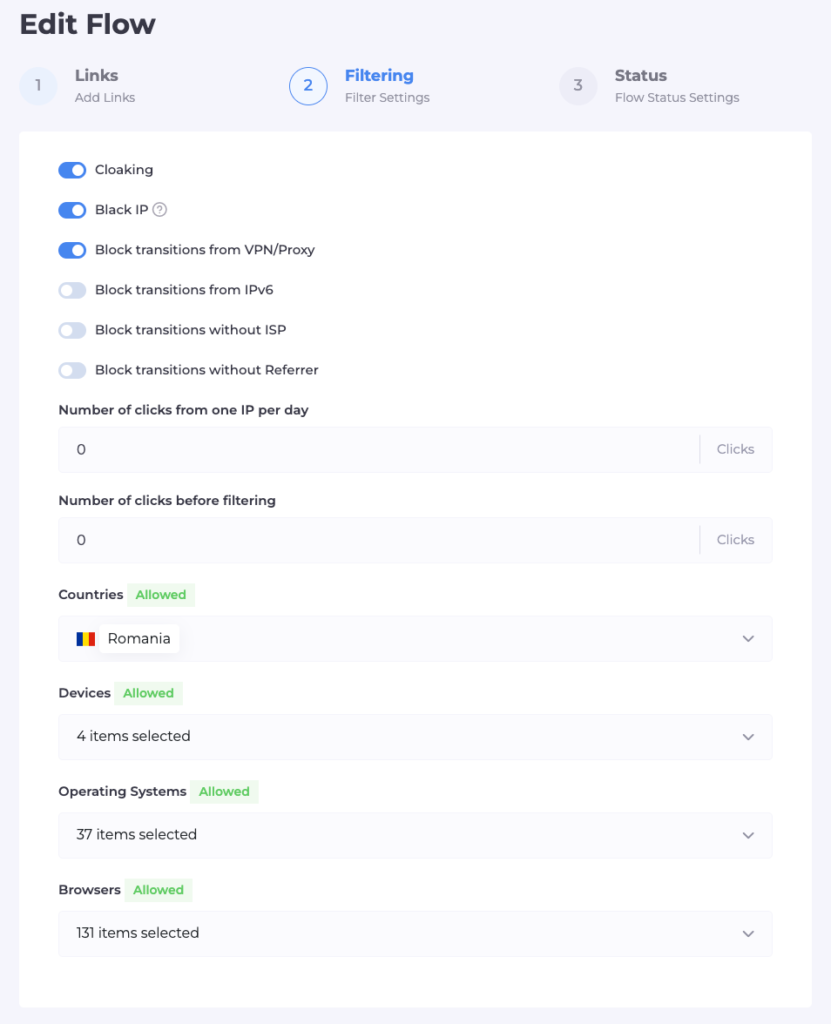
Filters. This is where the traffic splitting logic is configured:

  • database of known moderators and bots (Cloaking and Black IP) – usually enabled by default;
  • blocking VPN/Proxy/datacenters – cuts off connections that are not from regular providers;
  • IPv6 filter – it’s important not to overdo it: part of the checks of ad platforms and search bots go through IPv6, and if you block the protocol entirely, even a necessary check won’t be able to get through, which will more likely harm passing moderation;
  • blocking visits without a specific ISP – this filters out entries from servers and datacenters;
  • geo, language, time zone – traffic not from the target region or with a non-matching language goes to the White Page;
  • devices, OS, browsers – you can leave only the necessary types (e.g., only mobile Android);
  • your own blacklists of IPs, if any have already been accumulated.
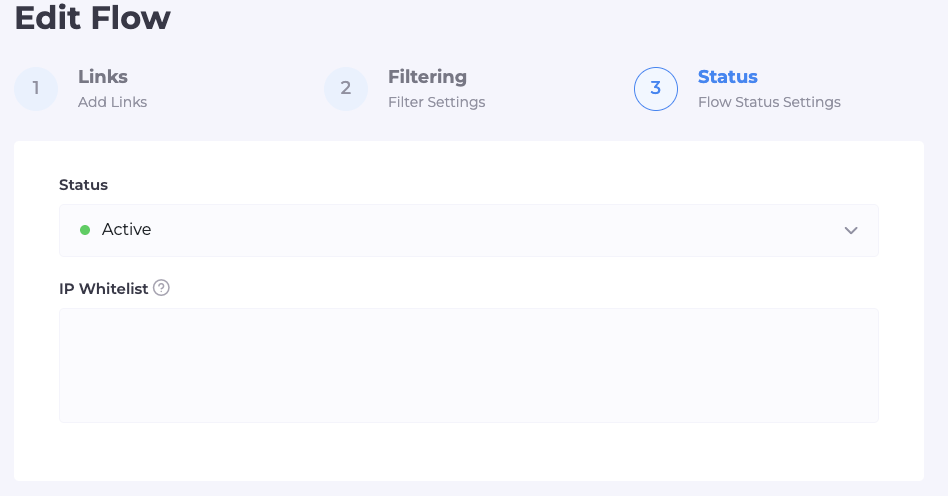
Status and check. The flow can be left on pause – then everyone will see it, including you – or switched to active mode. In a separate White List field, you specify your own IP: this allows you to bypass all filters and see exactly the Offer Page, while the White Page works for everyone else.

Step 4. Integration on Hosting

Once the White Page is in place and the flow is configured, all that remains is to link them technically:

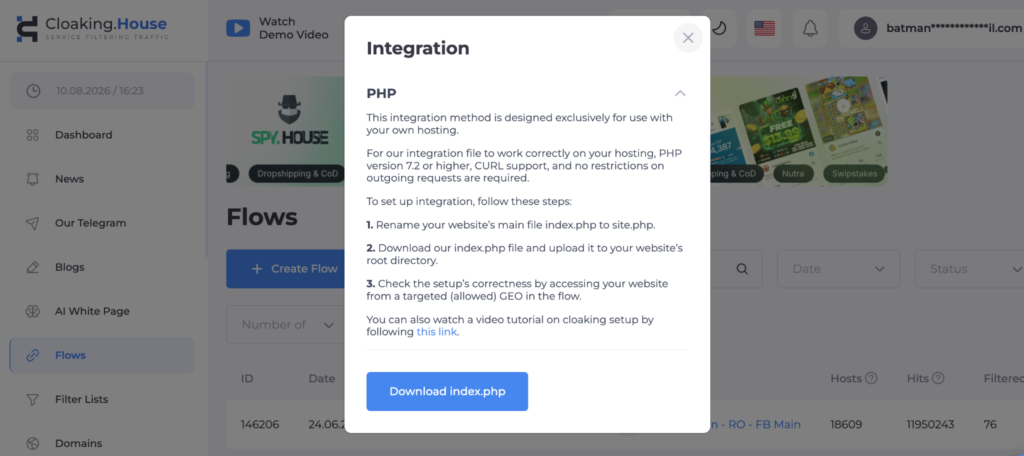
  1. In the “Flows” tab, download the integration file (index.php).
  2. Upload it via the hosting file manager to the root folder of the domain – to the same place where the White Page was previously extracted.
  3. Rename the current main site file (usually index.html) to the name specified in the White Page field when creating the flow – for example, to site.html.
  4. After renaming, it is index.php that becomes the entry point: it will decide whether to show the White Page or the Offer Page.
  5. Switch the flow status from “Pause” to “Active” and check through your IP from the White List that the Offer Page actually opens for you, and the White Page for everyone else.

If you work through a domain bought or parked directly in the service rather than your own hosting, this step isn’t needed at all – instead of file integration, the service immediately provides a ready “Cloaked link” that can be inserted into the ad cabinet without any fuss with files.
Step 5. First Click and What’s Next

From the moment of activation, every transition via your link automatically passes through filters. It’s convenient to track the result in the click statistics tab inside your personal account:

  • clicks with Cloaking status – these are bots, moderators, or traffic that didn’t pass the filters (if there are many from one city or network, it’s likely a check from the platform, and that’s normal, meaning the protection is working);
  • clicks with Client status – real users whom the flow allowed through to the Offer Page.

If this statistic shows that the target audience is also landing on the White Page, it’s worth looking into the reason for the filter triggering for a specific click – perhaps some rule (e.g., by IPv6 or ISP) is configured too strictly for your geo and should be relaxed.

Launch Checklist

  • Prepared domain and hosting (or chose a domain inside the service)
  • Generated or uploaded a White Page
  • Uploaded the White Page to hosting and extracted the archive
  • Created a flow: specified White Page, Offer Page, and their display method
  • Configured filters – VPN/Proxy, IPv6, ISP, geo, devices, language
  • Added your IP to the White List and checked that the Offer Page opens
  • Uploaded the integration file and renamed the original site file
  • Switched the flow to Active status
  • Checked click statistics after the first transitions

Who is it for and How Much Does it Cost

The service is designed for both a beginner launching their first flow and teams needing an API to manage domains and flows from their projects. Plans start from $49 per month (cheaper with annual payment), and there is 7 days of free access without limits – this is usually enough to run a real campaign through a flow and understand if the connection fits your traffic before paying. Also, specifically for readers, a promo code that gives a 30% discount: AFFCOMMUNITY

Summary

Broken down by steps, cloaking stops being black magic: White Page → upload to hosting → flow with filters → integration → check via White List → first click. The main fork that determines how much time launch will take is a warmed-up domain with file integration or a ready-made domain and link inside the service without hosting hassle. For the first flow, it’s easier and faster to go the second way, and return to your own hosting and finer filter settings already with an understanding of how each setting reacts to your traffic.
Money Safe Review: White Pages Development Tool for Affiliates

With ad network moderation becoming increasingly complex, the quality of White Pages has become one of the factors that directly affects the stability of ad campaigns. While a few years ago many webmasters used simple, template-based White pages, today this approach increasingly leads to bans, additional reviews, and wasted time.

That is precisely why specialized services have emerged on the market that focus on the professional development of White pages. One such solution is Money Safe – tool focused on creating high-quality White Pages for various verticals.

In this review, we’ll examine what Money Safe does, what features the service offers, and in which cases using it is truly justified.

Money safe - top white pages

Who Is Money Safe

Money Safe is a service specializing in the development of White Pages for traffic arbitrage. Unlike typical website builders or template-based solutions, the main focus here is on manually developing White pages tailored to specific tasks.

The service’s team creates White pages using both the WordPress CMS and in HTML format, allowing you to choose an option that suits the specifics of your advertising campaign and the requirements of a particular platform.

This approach results not just in a visually appealing White page, but in a fully-fledged informational website that looks natural to the user and meets absolutely all moderation requirements.

What tasks does the service solve?

White page development has long since ceased to be merely the creation of a single page with text and an image. A modern White Page must simultaneously fulfill several objectives:

  • align with the theme of the advertising campaign;
  • inspire trust in the user;
  • have a logical structure;
  • function correctly on mobile devices;
  • load quickly;
  • include the necessary technical and legal pages.

Creating such a White page requires time and an understanding of the specifics of ad networks. That’s exactly why many teams prefer to delegate this task to specialized professionals.

Money Safe takes full responsibility for White page development, from structure and design to technical configuration.

What Types of White Pages Can You Order?

The service offers two main development options.

White Page on WordPress

This option is suitable for those who need a fully ready-to-use project with the ability to make further edits via the admin panel. The price includes:

  • installation of the WordPress CMS;
  • hosting;
  • a domain with a history;
  • use of the White Page for one year;
  • a multi-page website;
  • a unique template;
  • Cloudflare integration.

This format is particularly convenient for teams that regularly launch new advertising campaigns and want to update content on their own.

HTML White Page

The HTML version is suitable for those who host websites on their own server or use custom infrastructure.

In this case, the client receives ready-made HTML files with a unique design and structure. Hosting and the domain are purchased separately, which provides more freedom when deploying the White page.

The functionality of the White page itself remains just as robust.

Our users can enjoy a 10% discount on White page purchases using the promo code AFFCOMMUNITY.

Pricing Overview

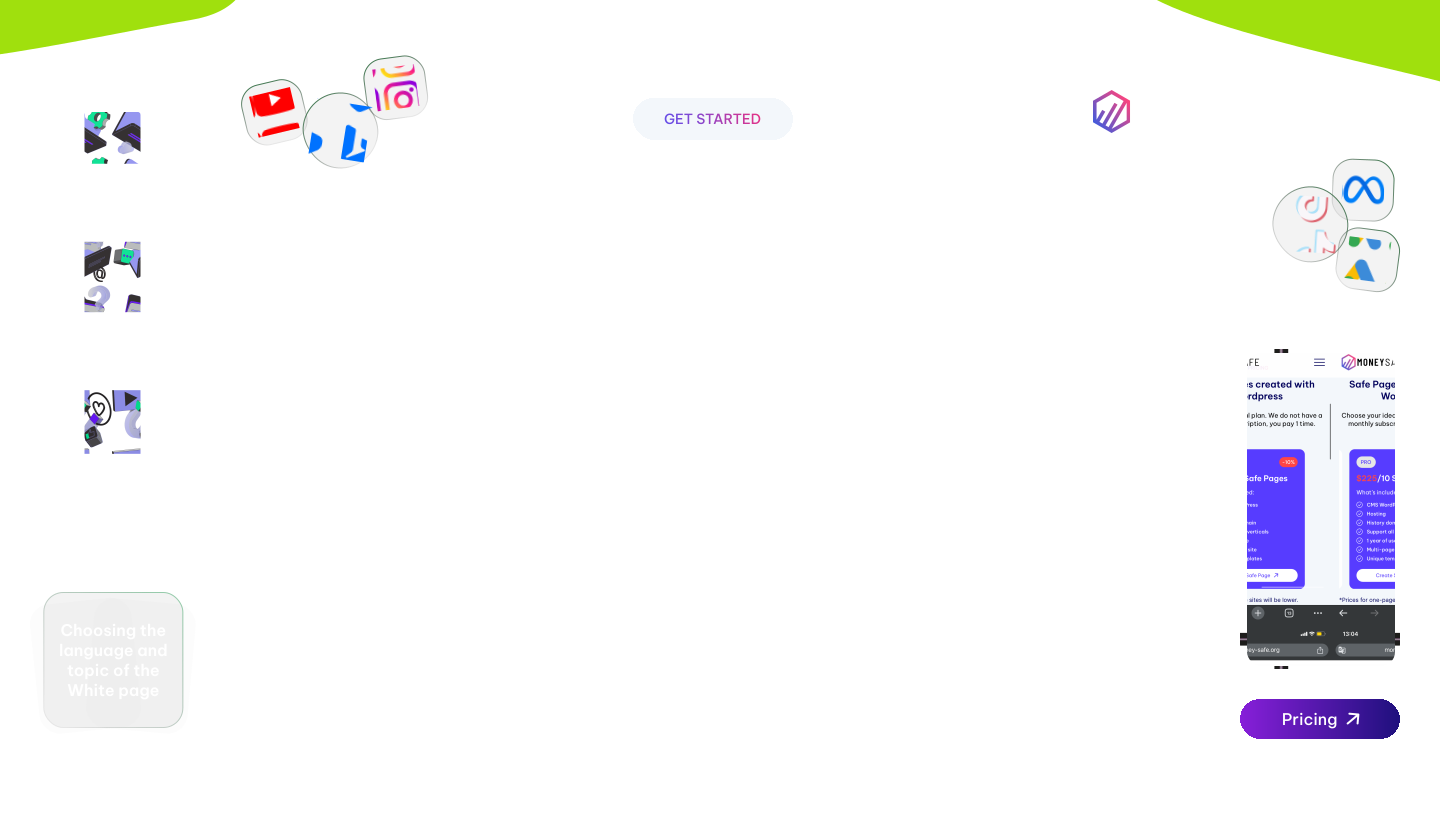
Money Safe offers several pricing plans depending on the number of White Pages required.

WordPress HTML Plan

RateWordPressHTML
Starter28 $ for 1 White Page35 $ for 1 White Page
Pro250 $ for 10 White Page315 $ for 10 White Page
Business475 $ for 20 White Page560 $ for 20 White Page

When ordering package plans, a discount applies, making the cost per page significantly lower compared to custom development.

This approach is particularly convenient for teams and agencies that regularly launch new advertising campaigns and prepare their infrastructure in advance.

Advantages of Money Safe

Amid a large number of template-based solutions, the service stands out for several features.

First, development is done manually. This allows for the creation of projects that differ not only in content but also in structure.

Second, the service isn’t limited to a single vertical. White Pages are developed for various industries, so the solution can be used for a variety of tasks.

Another advantage is its comprehensive approach. When choosing a WordPress plan, the client receives a White page that’s practically ready to go, complete with hosting, a domain, Cloudflare configuration, and the option to continue using it for a year.

It’s also worth noting the option to order either a single White page or large packages at once, which is especially convenient for media buying teams.

Who This Service Is For

Money Safe will be useful for those who don’t want to spend time developing a White Page on their own and prefer to focus on launching advertising campaigns.

The service may be of interest to:

  • webmasters working across multiple verticals;
  • media buying teams;
  • ad agency owners;
  • specialists who regularly launch new ad campaigns;
  • those who want a ready-made solution without having to search for designers, front-end developers, and back-end developers.

The service is particularly useful in situations where you need to quickly prepare multiple White pages to scale up advertising campaigns.

Conclusion

In recent years, ad networks’ quality requirements for White pages have increased significantly. Simple, template-based sites are less and less likely to deliver consistent results, and creating a truly high-quality site requires time and technical expertise.

Money Safe offers a comprehensive approach to solving this problem. The service handles the development of White Pages, giving clients the choice between WordPress and HTML, several pricing plans, and the option to order either a single White page or a package of multiple sites.

For webmasters who regularly work with affiliate marketing and value their time, this approach allows them to shorten the preparation phase of advertising campaigns and focus on testing link builds without being distracted by the technical aspects of White Page development.

How to Choose Keywords for White Page

One of the most common mistakes when working with Google Ads is treating White Page as a regular website. Many people start by gathering the most targeted keywords related to cryptocurrencies, investments, or trading, and then wonder why their ad campaign doesn’t pass moderation.

Our team regularly analyzes such cases and can confirm that the logic for selecting keywords for a White Page is completely different.

Let’s consider a typical scenario. The main offer is related to cryptocurrency, while the White Page is themed around team management consulting. In this case, the keywords must align perfectly with the White Page itself, not the offer.

This is precisely what makes the page appear as natural as possible to Google’s algorithms.

Start with the White page’s topic, not the offer

Relevant keywords for white page

The first mistake is trying to subtly add cryptocurrency-related queries to the White page’s text.

Google analyzes not only the page’s content but also the site’s overall theme. If a user lands on a page about team building but finds dozens of words like crypto, bitcoin, investment platform, or digital assets within it, the algorithms quickly detect this mismatch.

As a result, the likelihood of additional scrutiny increases significantly. Therefore, the semantics must fully align with the consulting topic.

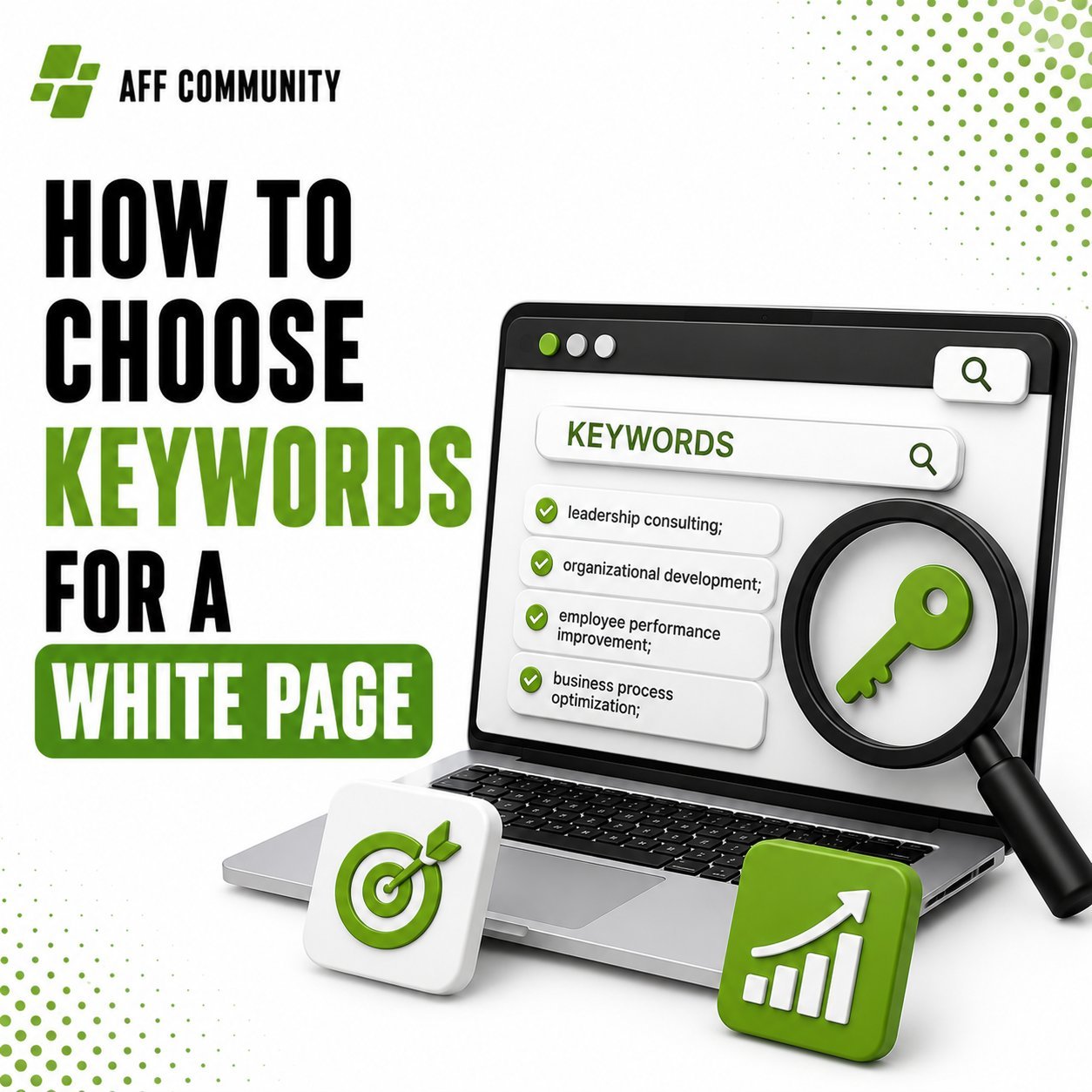
For example, you can use the following keywords:

  • team management consulting;
  • leadership consulting;
  • organizational development;
  • employee performance improvement;
  • business process optimization;
  • management strategy;
  • executive coaching;
  • business transformation;
  • leadership skills;
  • corporate consulting.

Such keywords look completely natural for a White page.

Use informational search queries

We recommend making the White page as similar as possible to an expert article or a consulting firm’s blog. Informational search queries are ideal for this. For example:

  • how to build a high-performing team;
  • leadership mistakes;
  • employee engagement strategies;
  • improve business efficiency;
  • project management best practices;
  • business growth consulting;
  • effective communication in teams.

Such keywords help create a natural structure for the White page. This approach is much better received by Google’s algorithms.

Don’t try to disguise crypto

Some webmasters use vague references:

  • digital finance;
  • modern investments;
  • wealth technology;
  • online earnings.

It may seem like these terms are safer. In practice, however, Google perfectly understands semantic connections. If the entire article is dedicated to team management, such insertions look artificial.

We recommend avoiding any terms that could be associated with crypto, investments, or financial products altogether.

A White Page should exist as a completely standalone piece of expert content. Only then does the likelihood of successful moderation become significantly higher.

Money Safe specializes in the high-quality development of White pages. It’s the best solution currently available on the market. You can learn more about the service here. And use the promo code AFFCOMMUNITY to get a 10% discount.

Page structure also matters

It’s not enough to simply choose good keywords. Google evaluates the entire page as a whole.

It’s important to include:

  • a logical H1;
  • topic-relevant H2 and H3 headings;
  • an FAQ section;
  • internal links;
  • images;
  • articles;
  • real contact information;
  • an “About Us” page;
  • a Privacy Policy and Terms of Service.

The more a White Page resembles a real corporate website, the higher the level of trust.

Use long-tail keywords

Instead of high-frequency keywords, it’s better to focus on long-tail semantics. For example:

  • how to improve leadership skills in business;
  • management consulting for growing companies;
  • business team development strategies;
  • employee productivity consulting;
  • organizational growth planning.

Such queries look much more natural and allow you to create high-quality, expert content.

In addition, long-tail queries help avoid an excessive concentration of repetitive keywords.

Don’t forget about user value

Today, Google Ads evaluates more than just the presence of keywords. Its algorithms analyze whether a page truly answers the user’s question.

If the content appears useful, contains practical recommendations, examples, and a clear structure, the level of trust in it is significantly higher.

That’s exactly why a White Page should be a full-fledged article, not just a collection of phrases. 

Check the entire setup

Even a perfectly written White Page doesn’t guarantee successful moderation. Google analyzes the user’s entire journey:

  • the ad;
  • campaign keywords;
  • White Page content;
  • the domain;
  • the site’s technical condition;
  • post-click behavior.

If even one element looks suspicious, the likelihood of a ban increases significantly. That’s exactly why experienced advertisers work not on a single page, but on the entire infrastructure simultaneously.

We discussed in detail how modern Google algorithms evaluate ad materials before launching campaigns in this article.

Conclusion

When working with Google Ads, the White Page should align not with the offer, but with its own subject matter.

If you’re using a page about team management consulting, the entire semantics, structure, and content should look as if it were the website of a real consulting firm.

It is precisely this approach that significantly increases your chances of successfully passing moderation and reduces the risk of additional reviews by Google, while preserving the operational infrastructure needed for further scaling of your ad campaigns.

Cloaking in 2026: How It Works in Practice

In short, cloaking hasn’t gone anywhere. It’s just gotten smarter.

In the past, things were pretty basic: one landing page for moderators, another for users. Almost no one works that way anymore. Platforms have learned to dig deeper, and any crude schemes get banned quickly.

In 2026, cloaking is no longer just a website substitution but a full-fledged traffic filtering system.

How cloaking works today

The core principle remains the same: splitting traffic streams. One stream is for moderators and bots; the other is for real users.

But the level of analysis has changed. The system doesn’t just look at the IP address like it used to. Now it takes into account:

  • behavior;
  • time on page;
  • referral source;
  • device fingerprint.

And if something deviates from the norm, the user might end up somewhere other than where you intended.

By the way, the logic behind traffic processing and exactly how traffic streams are distributed is explained in detail here.

Why old tactics no longer work

The main reason is stricter moderation. Platforms have become more aggressive:

  1. they visit landing pages more often;
  2. they check the redirect chain;
  3. they analyze post-click behavior.

This is especially noticeable on TikTok and Meta. There, they might approve an ad at first, but then suspend the account after the campaign runs.

That’s exactly why in 2026 it’s important not just to hide the page, but to make the setup look as natural as possible. Mistakes in the approach and reasons for bans are discussed in detail HERE.

What’s being used now

Classic cloaking is almost obsolete. Instead, a suite of tools is used:

  1. Anti-detection browsers.
  2. Proxies.
  3. Behavioral filtering.
  4. Traffic analysis services.

This is no longer a single tool, but an ecosystem. For example, while a simple proxy used to suffice, it is now crucial that the following match:

  • geo;
  • device;
  • behavior.

Otherwise, the system quickly realizes that something is wrong.

Where mistakes are most commonly made

The first mistake is overcomplicating things. People try to build a perfect system, add a bunch of filters, and end up breaking the traffic themselves.

The second is poor traffic quality. If the source is trash to begin with, no cloaking will save it. It can hide the problem, but it won’t solve it.

The third is a lack of testing. Cloaking isn’t a “set it and forget it” solution. It needs to be checked constantly. Because algorithms change.

The Reality of 2026

Cloaking has become more expensive, more complex, and more demanding.

It still works, but:

it requires experience; it requires proper infrastructure; it requires an understanding of how traffic works.

Also, the main tool used in conjunction with cloaking is the White Page. Thanks to the White Page, you can easily pass moderation and avoid getting banned. One of the top services on the market right now is Money Safe. You can read a detailed review at the link.

Conclusion

In 2026, cloaking isn’t about bypassing the system, but about adapting to it.

If you do it carelessly, the account will die quickly. If you do it carefully, you can keep it running for a long time.

But the key remains the same: it’s not cloaking that makes money, but the strategy as a whole.

Money Safe Service Review — White Pages Development

Money Safe is an innovative platform launched in 2024 that specializes in creating high-quality White Pages (Safe Pages) for successfully passing moderation in various advertising networks and traffic sources. The service offers prompt development of unique White Pages in a wide range of languages, tailored to any advertising platforms and verticals. You can learn more about the service here.

Key Features and Functionality

Key Features and Functionality

Money Safe offers the following key features:

  • Speed of Development: The average time to create a White Page is 30-40 minutes from the moment of request;
  • Versatility: Support for all existing traffic sources;
  • Multilingual Support: The ability to develop White Pages in over 1,000 languages worldwide;
  • Thematic Flexibility: Creation of White pages for any topics, niches, and business verticals;
  • Variety of Formats: Two formats available — on WordPress and as HTML files;
  • Use of New and Unregistered Domains: Registration of only new, previously unused domain names;
  • Longevity: Domain registration for a period of 1 year;
  • Flexible Settings: Option to replace the domain for an additional fee;
  • Integration: The ability to connect a client’s own domain and hosting.

Pricing Plan Structure

Money Safe implements a one-time payment model without the need for a monthly subscription. Users can choose from three main pricing plans:

Pricing Plan Structure
  • Starter;
  • Pro;
  • Business.

The cost and features of the plans vary depending on the selected platform (WordPress or HTML). The basic price for White Pages on WordPress starts from $20, while the HTML version starts from $24. The service offers a discount system for bulk orders:

  • 10% to 20% discount depending on the number of White Pages ordered.

Currently, the only payment method available is cryptocurrency.

Algorithm of interaction with service

  • Selecting the optimal pricing plan.
  • Submitting a Request for White Page development, with the mandatory inclusion of the promo code AFFCOMMUNITY, or by following a link where the promo code will be automatically applied.
  • Making Payment using the chosen cryptocurrency and providing the transaction hash.

Detailed discussion of the project with the manager:

  1. define the White Page’s theme;
  2. choose the content language;
  3. agree on the site structure.
  • Receiving Access to the admin panel of the created site and FTP access.

Analysis of Strengths and Weaknesses

Advantages of Using Money Safe:

  • high speed of White Page development, allowing for quick launch of advertising campaigns;
  • wide coverage of themes, languages, and advertising platforms, ensuring versatility.
  • use of domains with history, which increases the site’s trustworthines;
  • ability to integrate your own domain name, providing flexibility in customization;
  • creation of unique content for each White Page, reducing the risk of being blocked.

Disadvantages of the Service:

  1. Limited payment options (exclusively cryptocurrency).
  2. Insufficient number of user reviews due to the recent launch of the platform.

Money Safe is an effective tool for affiliate market professionals, allowing them to create high-quality White Pages for successful moderation on various advertising platforms. The service stands out for its fast order execution, wide customization options, and the use of unique materials in the development of each White Page.

Technical Aspects and Integration

White Pages created on the WordPress platform offer users enhanced integration capabilities for various tools:

  1. Compatibility with Cloaking Systems: Ability to implement any content masking mechanisms.
  2. Tracker Integration: Support for installing conversion tracking and analytics systems.
  3. Customization Flexibility: Extensive customization options thanks to the open architecture of WordPress.

Examples of Completed Projects

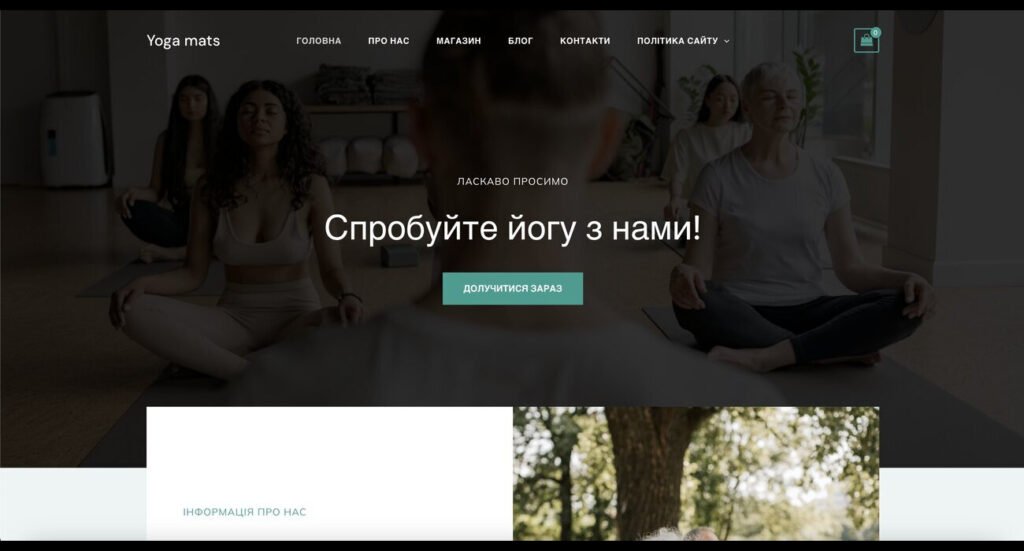
The Money Safe service demonstrates its effectiveness in practice. For example, a White Page on the theme of a yoga mat store was created https://fitnessfusion.icu/

Website

The result can be viewed at this link. This example illustrates the service’s ability to create high-quality White Pages that meet the client’s requirements and the specifics of the chosen theme.

Usage Recommendations

  • carefully analyze your needs before choosing a pricing plan;
  • provide the most detailed technical assignment to achieve the best result;
  • use the option to integrate your own domain to increase the site’s trustworthiness;
  • regularly update content on created White Pages to keep them relevant;
  • experiment with different themes and formats to determine the most effective strategies.

Conclusion

Money Safe provides affiliate market professionals and marketing specialist with a powerful toolkit for quickly creating high-quality White Pages that facilitate successful moderation and the launch of advertising campaigns on various platforms. The service combines speed, customization flexibility, and high execution quality, making it a promising solution for professionals in internet marketing and affiliate marketing.

Cloaking in affiliate marketing

Many webmasters use ads banned on the platform in their own sources. They may advertise adult services, online casinos and other such resources. The webmaster may be subject to strict measures for advertising such sites. His advertising campaign may simply not be missed. It is also possible to impose a ban on the personal account after the launch of the campaign. To avoid the above-mentioned troubles and problems, you can use cloaking, which is popularly called cloaca. What is cloaking, how can it be used to bypass moderation, what online cloaking services can be used?

What is cloaking?

What is cloaking

Cloaking is a technology that allows you to hide or substitute content. Using this technology makes it possible to show different content to different users clicking on a link.

With the help of this technology, spoof the landing page for the following categories of visitors:

  • employees of advertising platforms that perform manual moderation;
  • search engine bots and algorithms that check content;
  • advertisers when attracting traffic from banned resources;
  • Spy-services for maintaining anonymity on the Internet;
  • competitor webmasters for their own bundles and creatives from plagiarism.

Using cloaking allows you to show other webmasters, bots and moderators the White Page. Unlike the landing page where the offer is located, this page is made in full compliance with the rules established on the advertising platform where the traffic is purchased. We advise the service Money Safe. Guys will create a White Page under your requirements, which will be easily moderated.

Most often, webmasters cloaca to bypass the moderation of online platforms such as Facebook and Google. All advertising networks prohibit the use of such actions, so the detection of content spoofing leads to blocking. At some point, everyone pouring through the cloaca becomes known to moderators, who detect it manually or with the help of special algorithms.

Features of using cloaking

features of using cloaking

With the use of this technology, all users are divided into different streams, so they get to different pages by one link:

  • those visitors who do not need to see the promoted content end up on a white page that fully complies with the rules set by the advertising network;
  • users who need to be shown the content end up on the landing page.

There are special services that help to pour through the cloaca, greatly simplifying the setting of filtering and the process of passing moderation, for example, HideClick with a three-day free version and three paid rates. Also, popular are IM klo ,  Cloaking.House and many others.

The following services and programs help to cloak:

  • trackers and TDS (to track conversions and distribute traffic according to parameters);
  • JS-scripts (a special code is installed on the landing page, changing the content of the page automatically for a particular visitor);
  • redirect, which means redirecting a visitor from one site to another.

Is it necessary to pour with cloaca?

For affiliate marketing, webmasters often have to promote offers with the help of forbidden techniques. All webmasters need to know cloaking to be able to hide pages from some users. It is not difficult to use this technique, you need to know the basics of programming and network security.